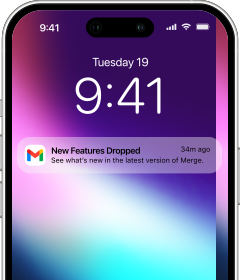
Galaxy Watch 9 is less about another visual reset and more about making Samsung's everyday watch easier to wear around the clock. The 40mm and 44mm cases retain the cushion-shaped profile introduced by Watch 8, while the internal platform changes to Qualcomm's 3nm Snapdragon Wear Elite chip. It arrives with Wear OS 7 and One UI 9 Watch, adds Bluetooth 6.0, and keeps a sapphire-covered display that can peak at 3,000 nits. Samsung still activates the watch through Android, however, and offers no official iPhone companion. Merge creates that missing link.
Choose an activation route before pairing
There are two practical ways to reach the Watch 9 home screen. Samsung's official route uses a phone with Google Mobile Services, Android 13 or newer, and at least 1.5GB of memory. Galaxy Wearable completes the Samsung and Google account setup, configures Play Store, and installs available firmware. This is the most familiar path if an Android phone is already nearby.
If you do not have access to Android, use the wireless installer included in the Merge iPhone app. It prepares the Galaxy Watch directly from iPhone so you can reach Play Store and install Merge without borrowing a second phone. Whichever route you select, finish the watch's initial setup before beginning Bluetooth pairing with the iPhone.
Install Merge and make the connection
Charge both devices, enable Bluetooth on the iPhone, and keep the watch beside it while completing these steps.
- Install Merge Watch on the iPhone from the App Store, then open it and allow Bluetooth access.

- Open Play Store on Galaxy Watch 9, find Merge Watch, and add the watch app.

- Leave the iPhone app visible and launch Merge from the watch's app drawer.
- Approve the nearby-device permission on Watch 9 so it can discover the iPhone.
- Select the iPhone when its name appears on the watch.
- Accept the matching Bluetooth prompt and wait for Merge to confirm the connection.
- Complete subscription setup if the iPhone app requests it.
- Enable the notification and health permissions you want Merge to use.
One Samsung setting deserves attention before you close the menus. Open Settings - Battery - More battery settings - Sleeping apps on the watch and make sure Merge is not listed. Sleeping Apps may stop a background connection to save power; excluding Merge lets it remain available when the display is off.
What the iPhone gains
Once paired, Watch 9 can show the iPhone's incoming notifications, with per-app controls to keep unnecessary alerts off the wrist. Incoming calls can ring on the watch, synced contacts provide caller identification, and media controls let you pause, skip, or change the volume of audio playing on the iPhone. With the iPhone camera open, the watch can also act as a remote shutter.
Merge's health bridge sends supported measurements into Apple Health, including heart rate, steps, distance, floors climbed, calories, and workouts with route and pace data. The connection does not turn the Galaxy Watch into an Apple Watch or reproduce every Samsung-phone integration. Samsung account services, Galaxy-only features, and some regional health tools remain governed by Samsung's own software and availability rules.
Why Watch 9 is different from Watch 8
The generational change is concentrated inside the case. Snapdragon Wear Elite replaces Samsung's earlier Exynos platform with a penta-core 3nm design. The 40mm battery rises to 390mAh, and the 44mm version carries 445mAh. Both sizes use dual-frequency L1+L5 GPS and move to Bluetooth 6.0. Storage remains 32GB, so Watch 9 is an efficiency and sensing upgrade rather than a capacity upgrade.
Samsung's newer health experience is equally important. Vitals learns a personal overnight baseline and flags meaningful deviations; Heart Health Score turns several cardiovascular signals into a simpler view; Daily Cardio Load balances training volume against estimated recovery; and Fitness Index tracks broader conditioning goals. Hearing adds unsafe-noise alerts and longer-term reports. These features are designed to run from continuous wrist data, which explains Samsung's emphasis on a stable, comfortable fit for sleep as well as daytime use. Feature access can vary by country, account, and paired-phone environment.
A sensible Watch 9 and iPhone routine
Let the watch handle its native strengths—workouts, sleep capture, on-wrist health insights, timers, and watch apps—while Merge carries the cross-platform traffic. Keep Bluetooth enabled, allow Merge to work in the background on both devices, and avoid placing it in Samsung's sleeping-app list. That division gives Watch 9 a reliable iPhone role without pretending that two different ecosystems have become identical.